Jim Rossman: Your phone can add live captions to almost any video or conversation
Published in Science & Technology News
My wife is taking an online art class that involves watching videos. Some of the students in the class were mentioning that the videos don’t have closed captioning, and the teacher said captioning was forthcoming, but they were not ready yet.
As my wife was explaining this to me, I said out loud, “They can likely see captions from their phones.”
She was unfamiliar, but Live Captioning has been a feature on iPhones since iOS 16. Live captioning was introduced on Android OS with version 10.
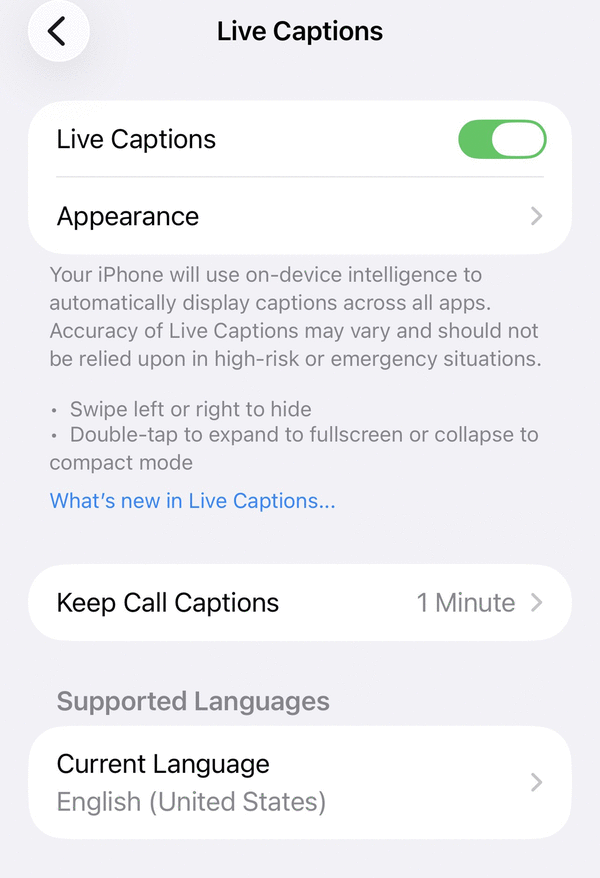
On both operating systems, you can go to Settings, then open Accessibility, then scroll down and open Live Captions. You can see the live caption options and enable them as you see fit.
On my iPhone, when I enable Live Captions, a small caption window shows up over the bottom of the screen that floats on top of all other windows and apps.
The phone transcribes audio very smoothly.
At the top of the caption window, you’ll see a line that lists the source of the sound. This can either be the phone’s microphone, which will transcribe what your phone hears from people in the same room, or from other sources.
Microphone mode is what you’d use if you’re watching a video on your computer or on your TV that needs captioning.
If you’re watching something on your phone, you can change the source to live caption the audio from whatever sound is playing through the phone speakers.
The live captioning also works if you’re on a phone call. Of course, you’ll need to be using speaker phone so you can hold the handset away from your face to read the screen.
One thing to know is that live captioning uses a decent amount of processor power, and not all phones are compatible.
You’ll need an iPhone 11 or newer to use live captions. Android users will need to check with their manufacturer, as there are too many models to list. If you see the option in your Settings, give it a try. Your phone will let you know if it’s compatible or not.
____
©2026 Tribune Content Agency, LLC.






Comments